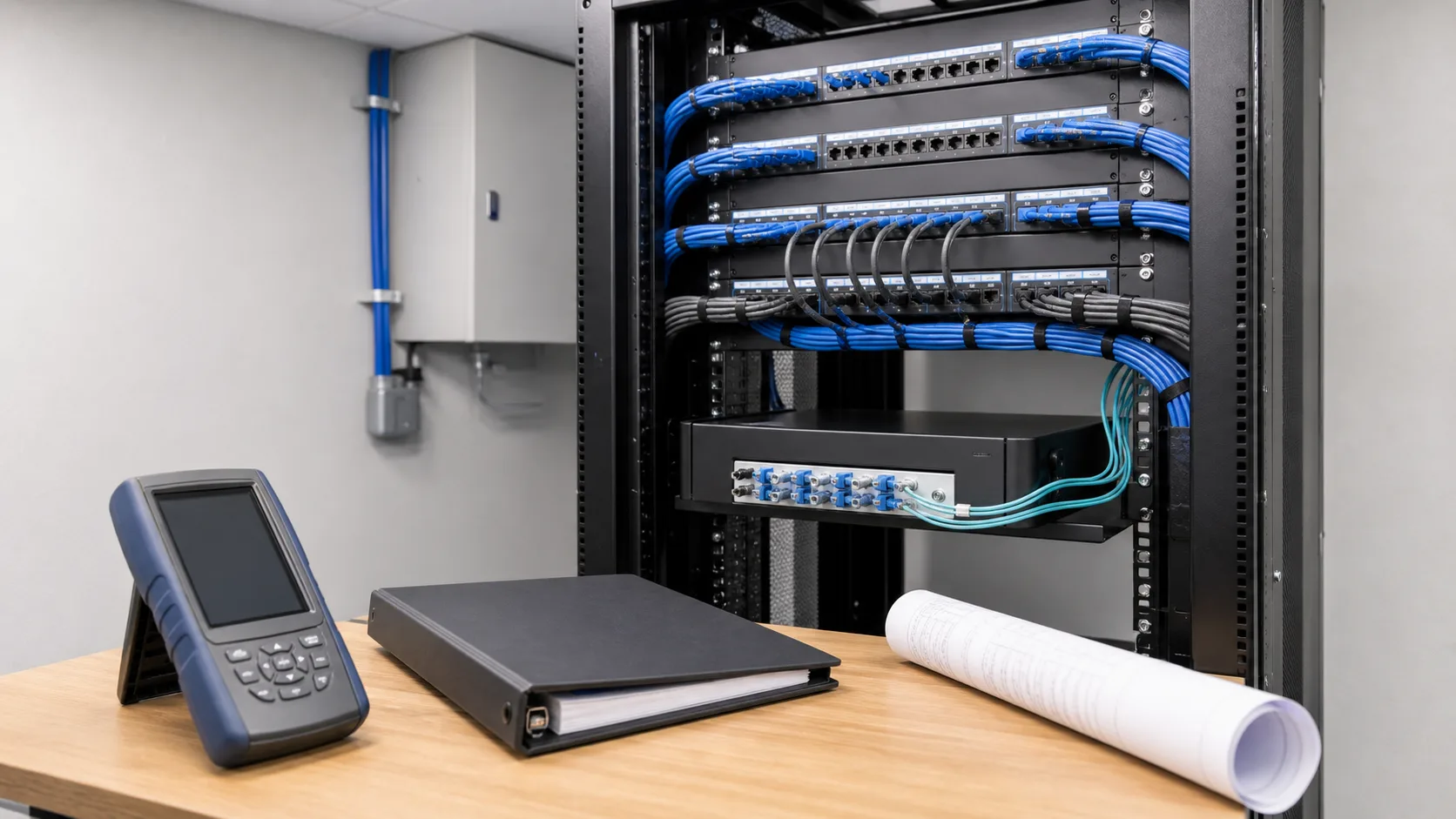
A new cable installation is easier to support when the handover package explains what was installed, where it goes, and how it was checked. Without those records, a future service call can start with tracing connections that should already be documented.
This structured cabling handover checklist helps building owners, IT teams, and facility managers agree on deliverables before the project closes. It is especially useful for occupied office renovations and phased commercial upgrades, where the finished installation may differ from the original drawing.
Put the handover requirements in the scope
Discuss documentation while comparing proposals, not only when requesting the final invoice. Specify the records you need, the file formats, the people who will receive them, and the review process for incomplete items.
The package should match the work performed. A few additional outlets may require a concise update to an existing plan. A larger installation may need a complete cable schedule, test-report set, rack elevations, and revised drawings.
Keep the cabling scope distinct from active network configuration. The guide to structured cabling versus network infrastructure explains that difference. Knowing which team owns each part prevents a “complete” handover from leaving an important responsibility unassigned.
1. A cable schedule that matches the building
Ask for a schedule that links each installed cable to its endpoints. Depending on the project, the records may include the room or area, outlet identifier, telecommunications room, rack, patch panel, port, cable type, and intended use.
The identifiers should agree across physical labels, drawings, and test reports. If an outlet is renamed during construction, the change needs to reach all three places.
A practical check is to select a few outlets from different work areas and trace them through the documentation. The process should not depend on the installer remembering where an unlabeled cable goes.
2. The agreed test results
Confirm what testing was included and what each result demonstrates. A basic continuity check, an application qualification test, and standards-based certification are different levels of evidence. Avoid accepting the word “tested” without knowing which procedure was performed.
Fluke Networks’ testing guidance distinguishes qualification from certification: an application test does not establish compliance with every parameter of a cabling standard. Ask the installer to identify the agreed test limit and method in the deliverables.
For work that includes certification, request the reports for the links within that scope, with cable IDs that match the installation. Clarify whether the handover includes native test files as well as readable reports, particularly if your support team needs to examine results later.
Record exceptions, retests, and outstanding items. A neat summary is helpful, but it should not hide the fact that a particular link was not completed or needs further work.
3. Updated drawings and rack records
An as-built drawing should describe the completed installation. Check for outlets that moved, additional cable runs, changed pathways, and revised telecommunications-room arrangements.
For a rack installation, request a clear record of panel positions and the equipment or areas they serve. Photographs may supplement those records, but a photograph alone may not identify a cable’s far end.
Keep the drawing detail proportionate to the project and the owner’s needs. The goal is a record the next technician can use, not a large document set that does not match the building.
4. Product and warranty information
Retain the installed product details, relevant warranty documents, and any registration or certification records included in the contract. Ask who handles a potential warranty issue and what information the owner must preserve.
Do not assume a component warranty and a system warranty provide the same coverage. Eligibility and coverage depend on the actual manufacturer terms and installation arrangement. Request the applicable documents rather than relying on a general assurance.
If some existing cabling was retained, distinguish it from the new work. The handover should show which links were inspected or tested and which fell outside the agreed scope.
5. A clear list of open items and ownership
A useful closeout record identifies the issue, affected location, responsible party, target date, and method for confirming completion. Separate completed work from items waiting on another contractor, tenant access, or equipment delivery.
This is particularly helpful when low-voltage work is part of an office renovation. The cabling contractor, general contractor, IT provider, and owner may each have different remaining tasks.
Keep sensitive network diagrams and access details in the organization’s approved storage location. Public blog posts, shared marketing folders, and unprotected general-purpose links are not appropriate places for operational system records.
6. A short handover walkthrough
Have the installer show the designated owner how the documentation connects to the physical installation. Review a representative outlet, panel location, and corresponding test report together.
Confirm the process for future moves, additions, and repairs. Someone needs to update the records when the installation changes; otherwise an accurate handover slowly becomes an unreliable drawing set.
Ask where service requests go, which team first investigates a connectivity problem, and how cabling findings will be passed to the IT team. Avoid treating every network fault as a cable fault or every successful link light as proof that the full system is working as intended.
A compact owner acceptance checklist
Before closing the project, confirm that:
- Physical labels match the cable schedule and drawings
- The agreed test reports have been delivered and exceptions identified
- Records distinguish new, retained, and out-of-scope work
- Product and applicable warranty documents are accessible
- Open items have a named owner and completion plan
- The facilities and IT teams know where the final records are stored
- A designated person will maintain the records after future changes
These checks help an owner review the promised deliverables. They do not replace the project specification or a qualified technical review where one is required.
Questions to settle before installation starts
Do we need a report for every new cable?
Agree on the test and reporting scope in the contract. If the installation calls for certification of each link, the handover should contain the corresponding results and clearly identify any exceptions.
Can the installer just provide photographs?
Photographs are useful supporting records. They normally do not replace a cable schedule, endpoint identifiers, or the agreed test evidence.
Who should keep the final package?
The owner should designate the responsible facilities or IT contact and an approved shared location. Relying on one contractor’s inbox makes future maintenance harder.
Plan for the day after installation
Tolleson Inc. provides structured cabling and supporting technology infrastructure for commercial facilities, with a Nashville base and nationwide project capability. A planning conversation can establish both the installation scope and the records your team will need afterward.
Request a project consultation to discuss the building, planned systems, and handover requirements.